Apps / Free download for Windows, Mac and Linux
AdDeck
AdDeck makes marketing creatives on your own computer. You tell an agent what you want in a chat, it plans, builds and checks each piece, and you approve the finished files.
Apps / Free download for Windows, Mac and Linux
AdDeck makes marketing creatives on your own computer. You tell an agent what you want in a chat, it plans, builds and checks each piece, and you approve the finished files.
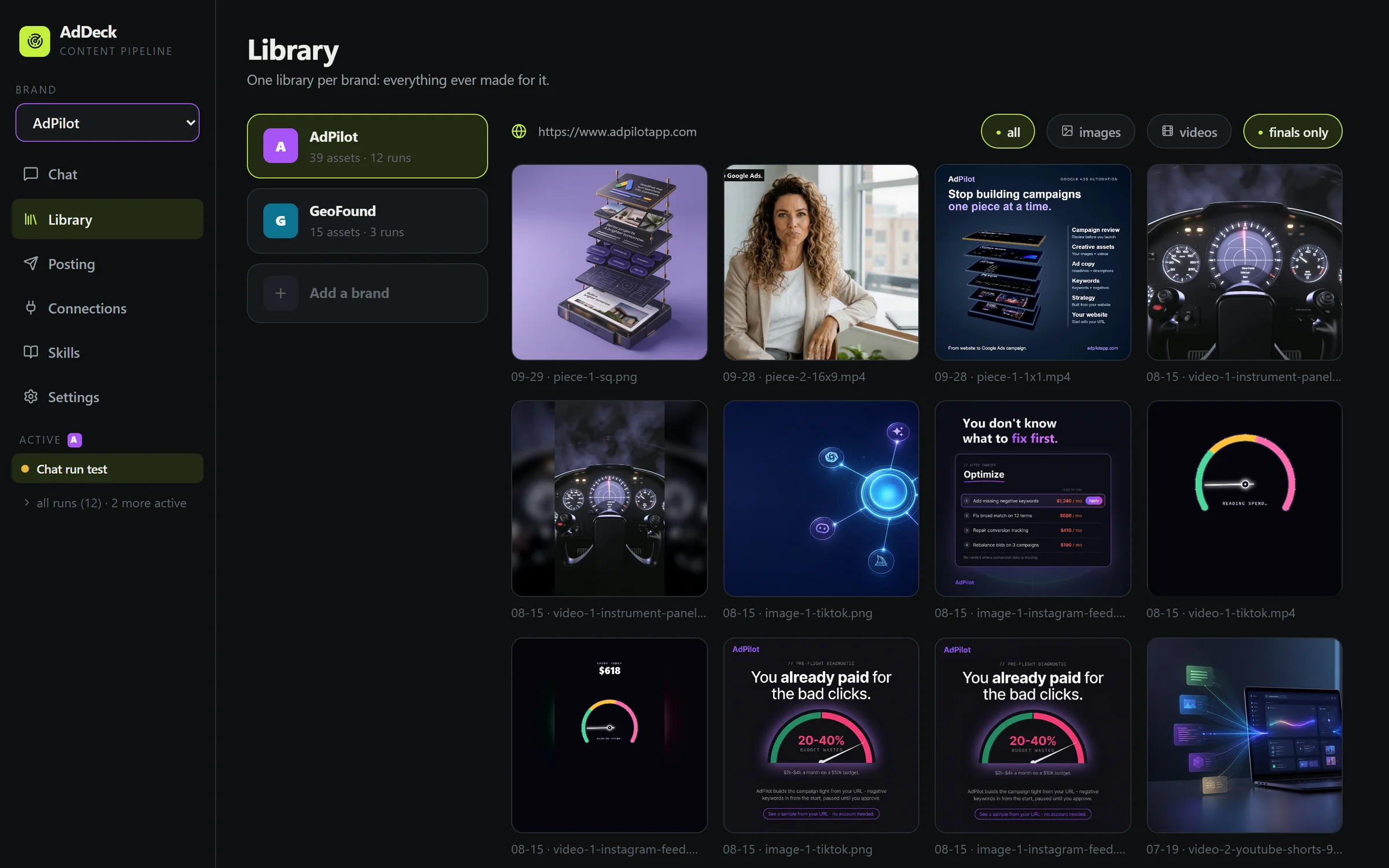
AdDeck is an app for your computer: Windows, Mac or Linux. It makes the pictures and videos a business uses to show what it sells. People call these creatives.
You type what you want. An AI helper reads your website, plans the work, makes each piece and checks it. Then you look at it and say yes or no.
You stay in charge. Nothing is paid for and nothing is posted unless you say so.
This is the full list.
ready folder. It never writes over a file that is already there.Follow the steps in order. Each step is one thing to do.
This is the easy way on Windows 11. Click the download button on this page, then press Download from the Microsoft Store. Windows installs AdDeck for you.
Open AdDeck from the Start menu. It opens in your web browser, and it starts by itself when you sign in. Then go to step 5.
On Windows 10, a Mac or Linux, use the zip file instead. Steps 2 to 4 show how.
Click the download button on this page. It gives you the file for your computer.
On Windows, right-click the file and choose Extract All. On a Mac, double-click it. Put the folder anywhere you like.
On Windows, open the folder and double-click Install AdDeck.cmd.
On a Mac or Linux, open the Terminal in the folder, type ./install.sh and press Enter.
It asks three questions. Press Enter each time to take the answer it suggests.
On Windows, double-click Start AdDeck.cmd. On a Mac or Linux, type ./start.sh in the Terminal.
Then open http://127.0.0.1:3333 in your web browser. AdDeck runs on your computer only. Nobody else can open it.
AdDeck shows a page called Set up AdDeck.
Type the folder where your finished work should go and press Save. Use a folder that already exists.
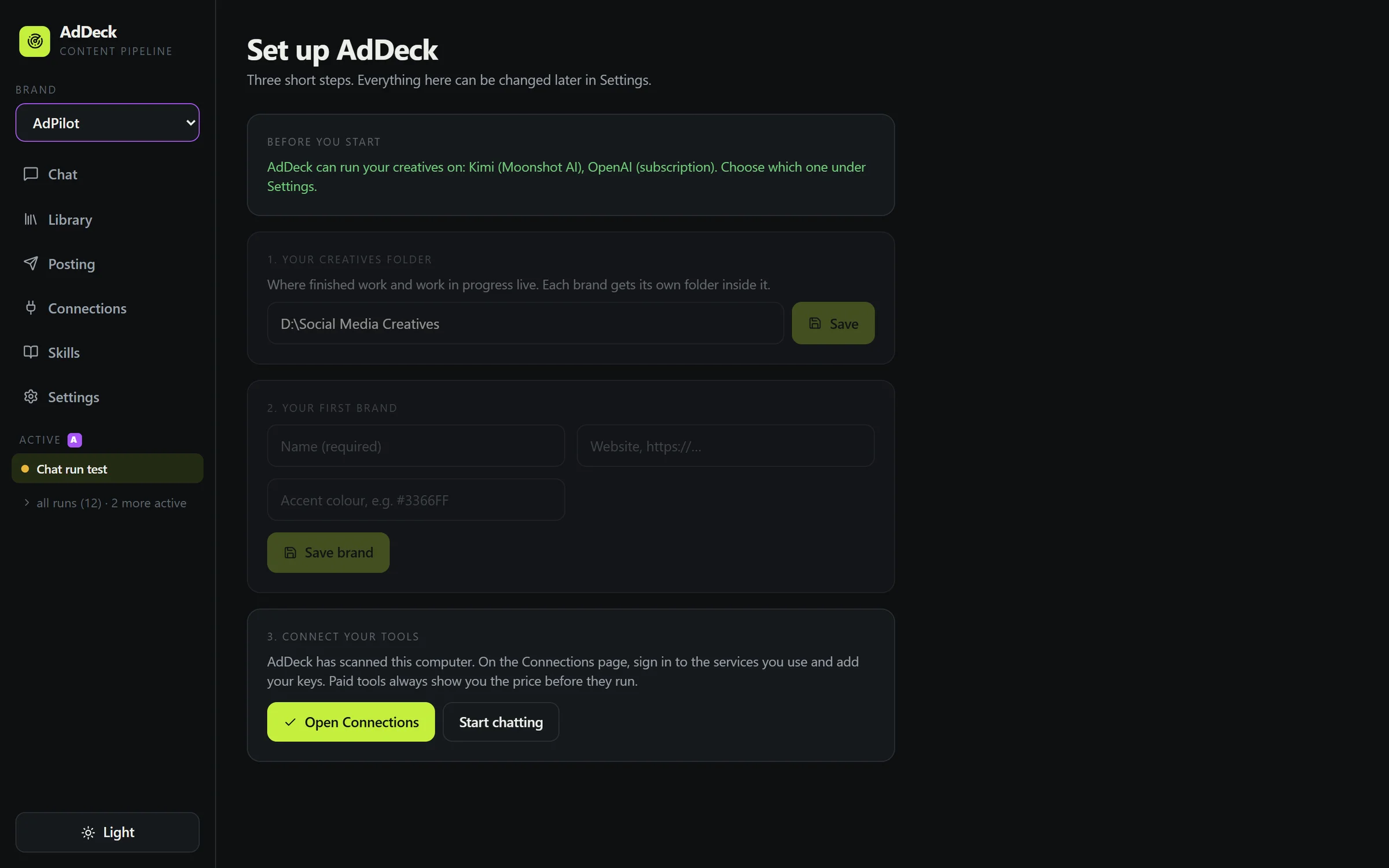
Type the name of your business and its website. Press Save brand.
Then press Create these folders. AdDeck makes a work folder and a ready folder for the brand.
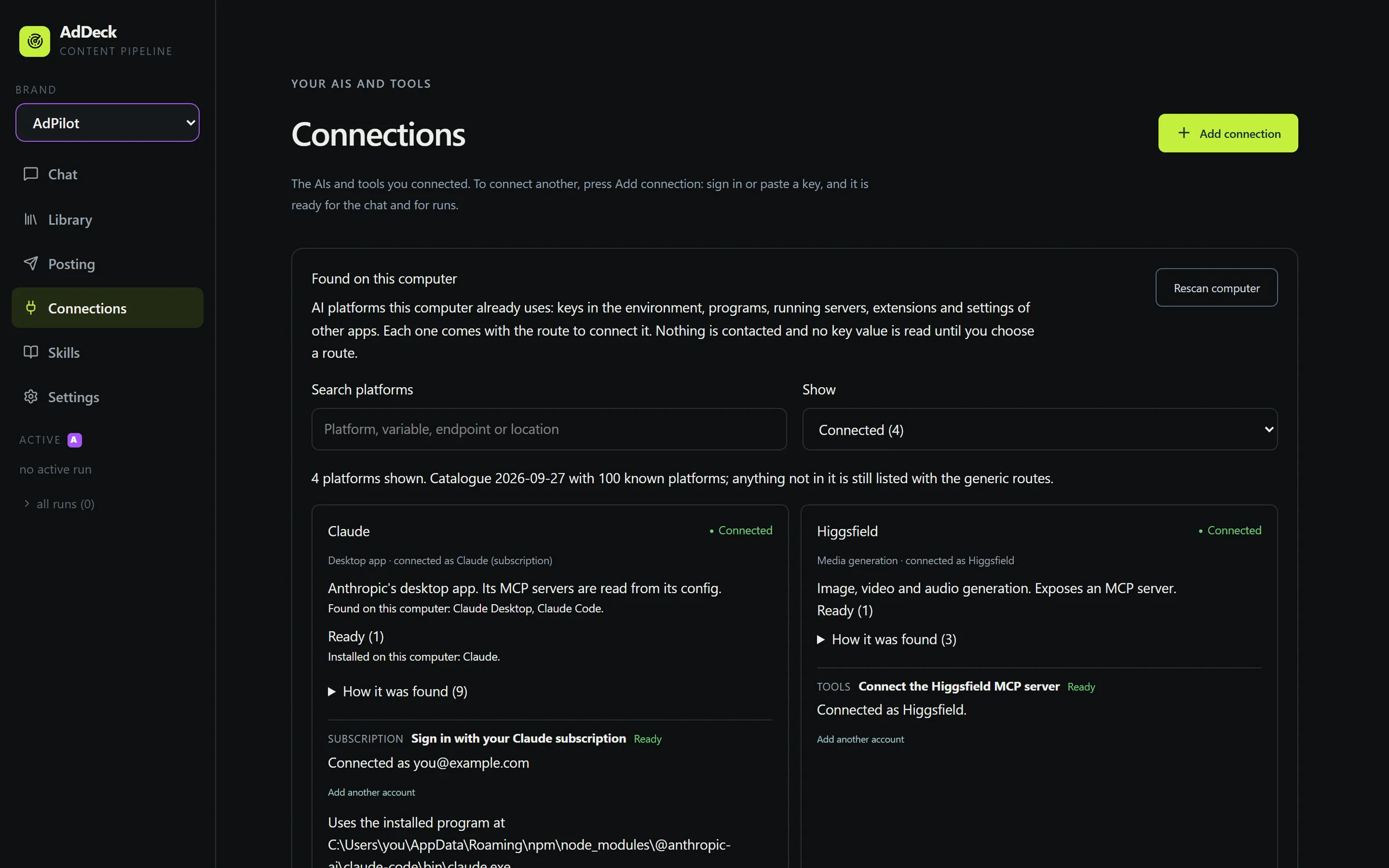
Click Connections on the left, then press Add connection.
Sign in with the plan you have, or paste a key. One AI is enough.
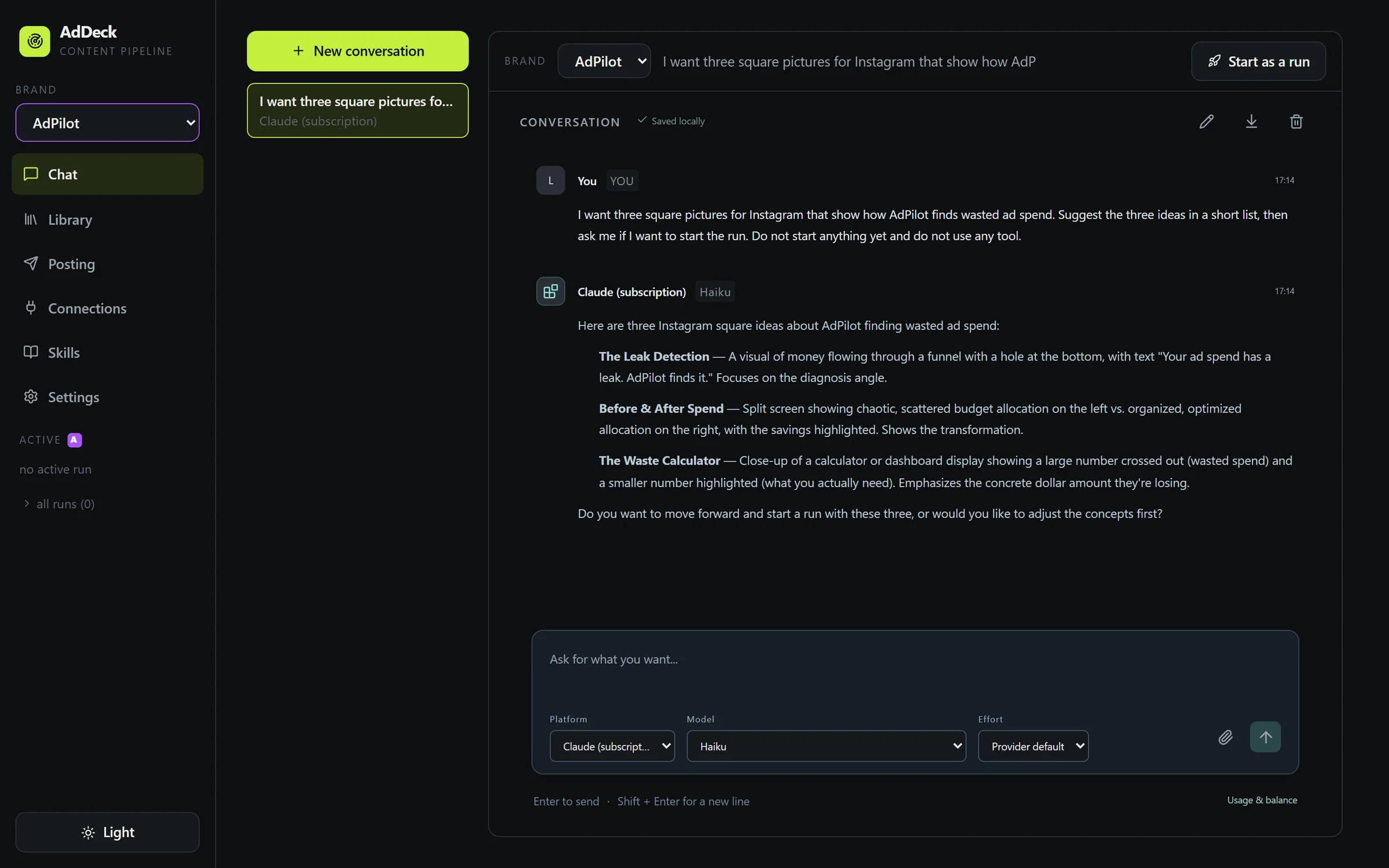
Click Chat on the left. Write what you need in your own words and press Enter.
When you and the helper agree, press Start as a run. A run is one job.
If a step costs money, AdDeck stops and shows each price and the total.
Press Go to agree. Press Stop if you do not want to pay. If nothing costs money, this step is skipped.
AdDeck makes each piece and checks it. You can watch every step on the page.
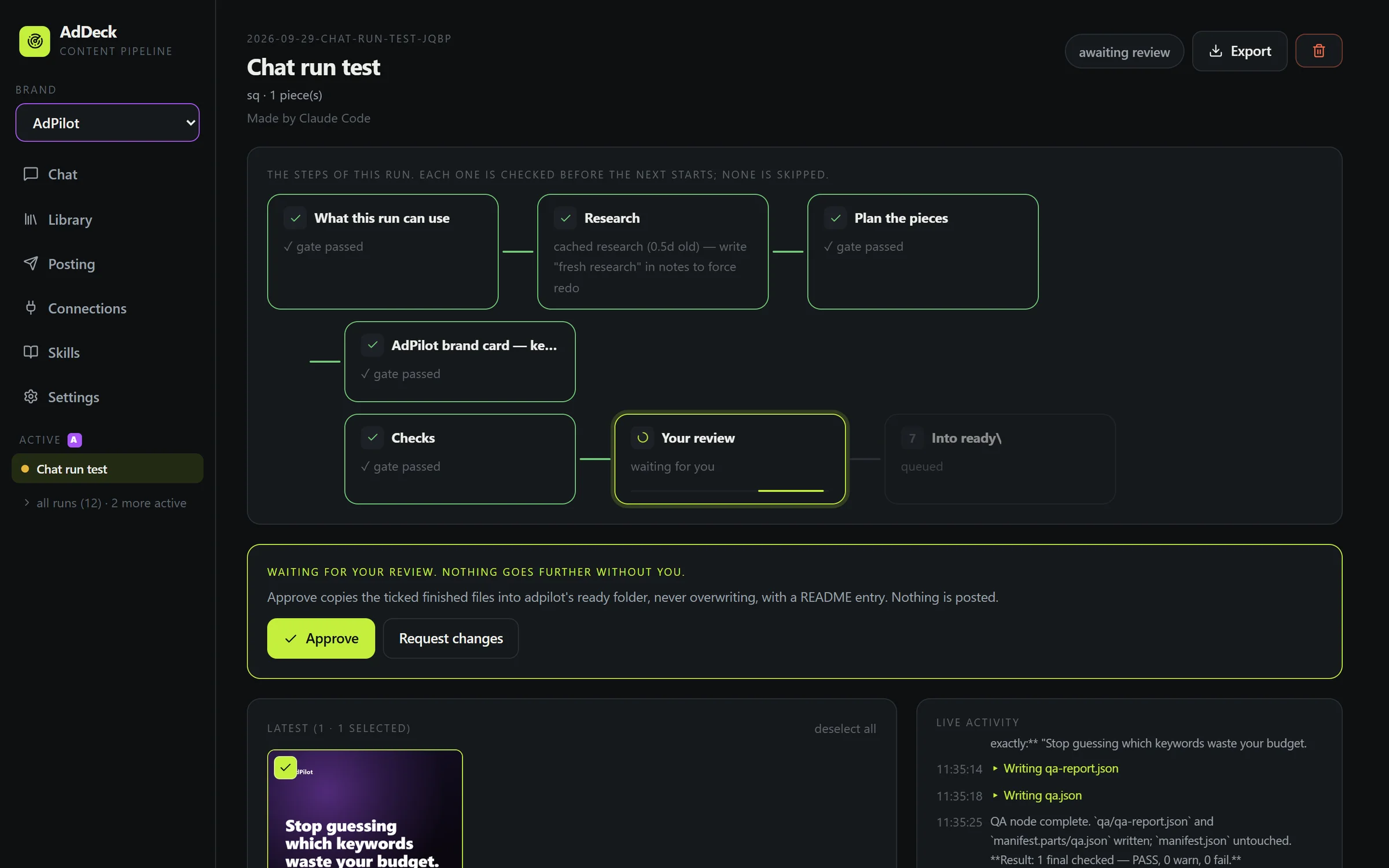
Tick the files you like and press Approve. They are copied into your ready folder.
If something is wrong, press Request changes and say what to fix.

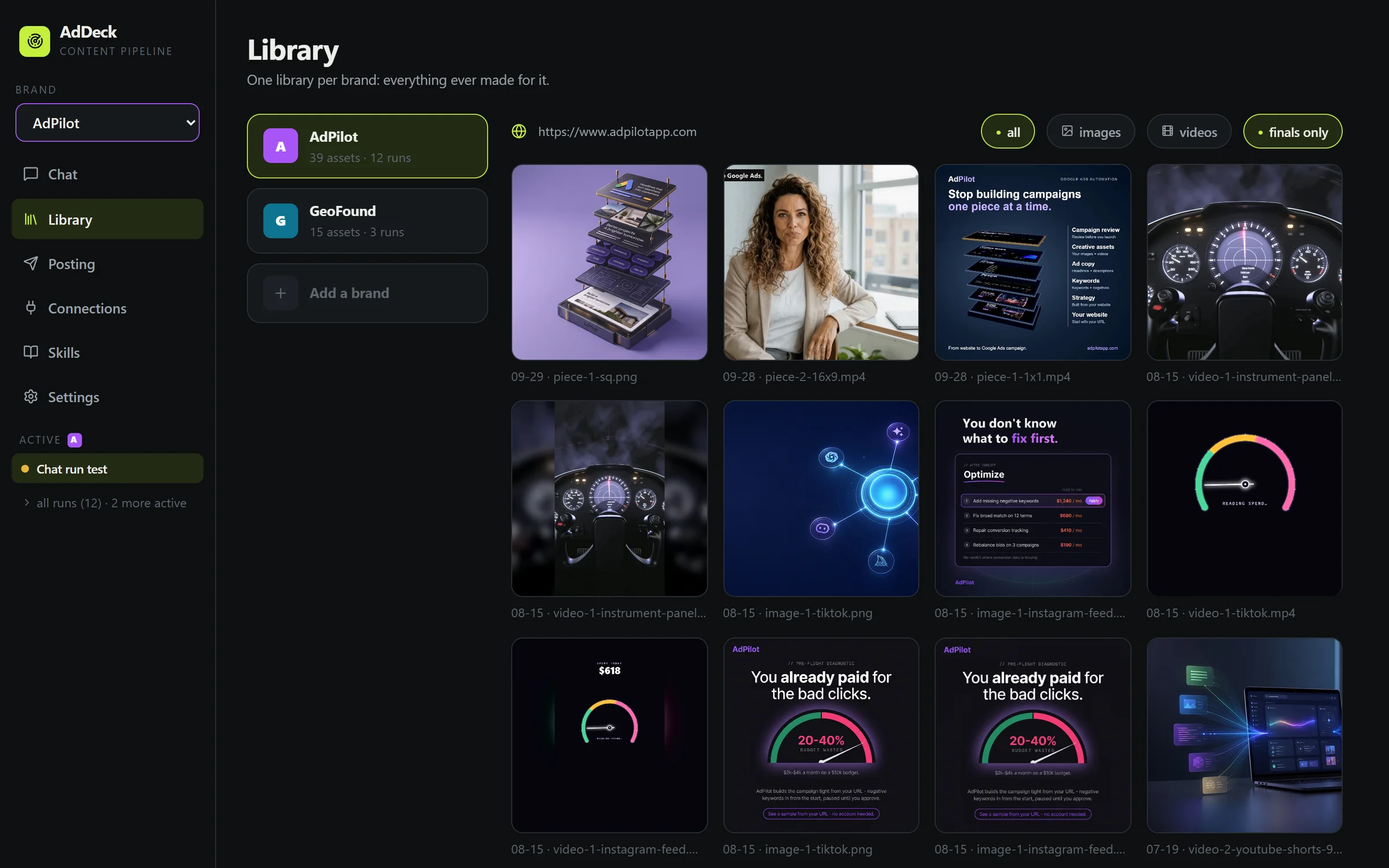
Click Library to see everything AdDeck has made for you. You can show only pictures, only videos, or only the ones you approved.
Click Posting. Your finished files are sorted by shape, and AdDeck tells you which platform each one fits.
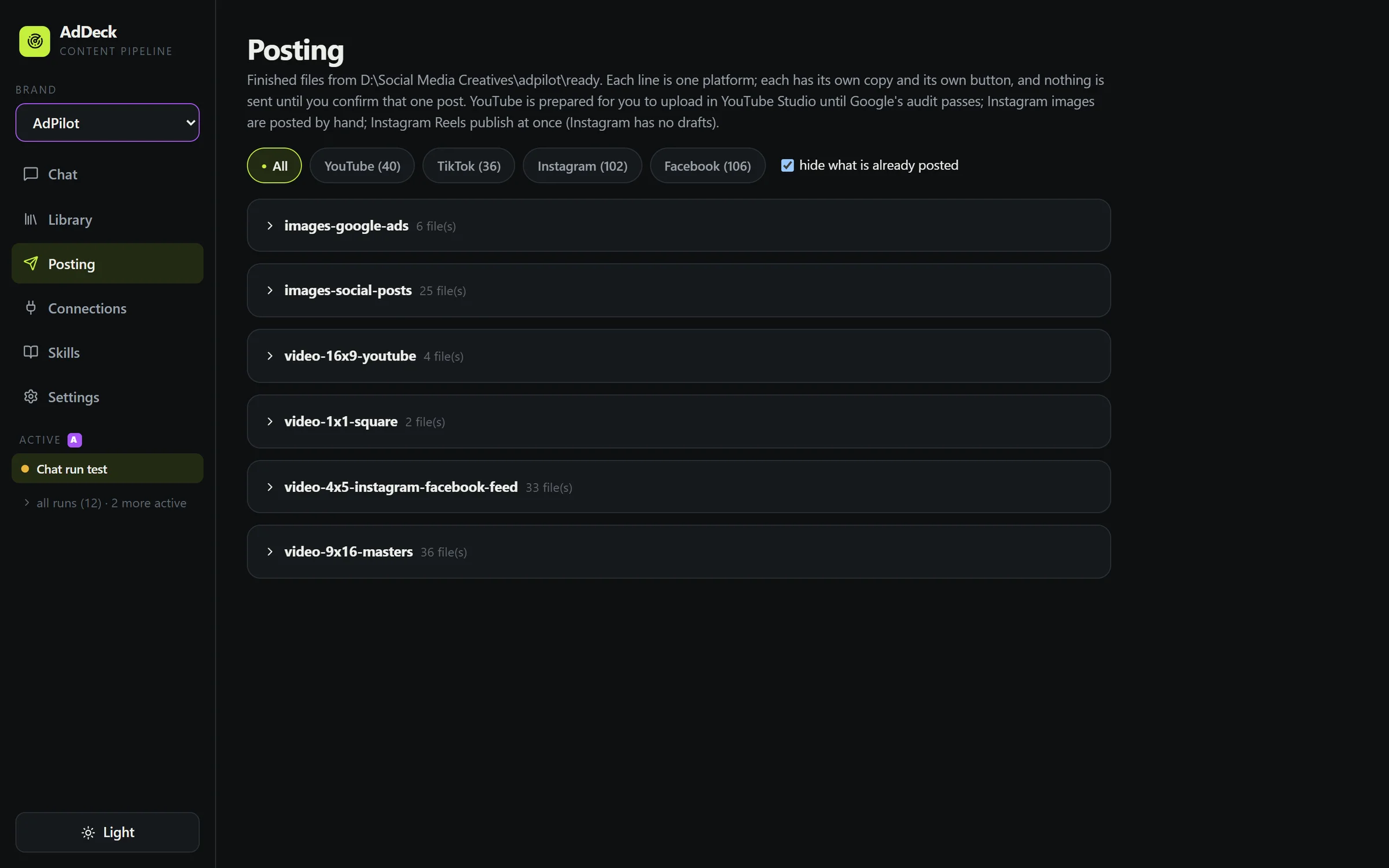
work. Pieces you approved go in ready.You get one email each time a new version of AdDeck is released, and nothing else.