Apps / Subscription

AdPilot

AdPilot reads your website and up to four competitors, then writes Google Ads campaigns to fit. You review them, change what you like and launch them.
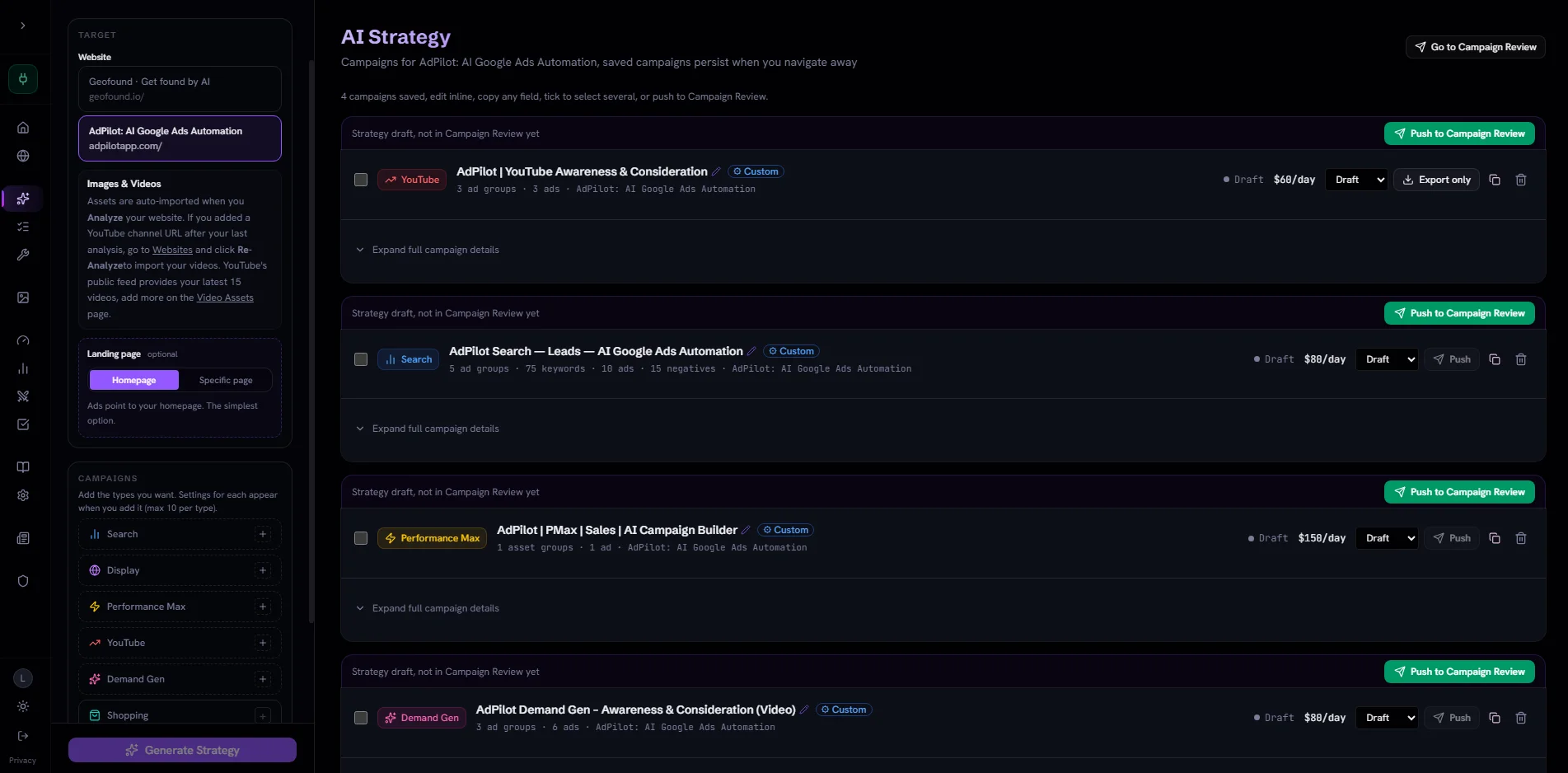
From $29 a month. See the plans

Try a sample campaign free, with no account.

What AdPilot is

AdPilot turns a website URL into complete, launch-ready Google Ads campaigns. Not suggestions, not a template to fill in, and not a dashboard that only optimises something you already built. The whole campaign, ready to review.

You give AdPilot the address of your website. It reads your page and the pages of up to four competitors. Then it writes the campaigns you ask for.

You check everything and change what you like. Nothing goes live until you switch it on in Google Ads.

Everything AdPilot can do

This is the full list.

Read your website

Reads the page you add
AdPilot reads the title, the headings, the buttons and the main words of the page. You can see what it found.
Collects your pictures
It saves the pictures and the logo from your page, so you can use them in adverts.
Collects your videos
If you add your YouTube channel, it brings in your 15 newest videos.

Study your competitors

Up to four competitors
A competitor is a business that sells the same kind of thing as you. Type up to four of their websites.
Finds them for you
If you do not name any, AdPilot suggests up to four and marks them as suggested by AI.
Shows what they do
For each competitor you see their pitch, what they stress, their buttons and the words they aim for.
Shows the gaps
You see words your competitors aim for and you do not, and words you both aim for.
Uses it in your campaigns
Every campaign comes with a short note on what AdPilot learned from your competitors.

Write your campaigns

Six kinds of campaign
Search, Display, Performance Max, YouTube, Demand Gen and Shopping. You choose which kinds you want and how many of each.
A goal for each
You pick the goal of each kind, and the page the adverts should lead to.
Everything a campaign needs
A daily budget, places and languages, groups of adverts, keywords, two versions of each advert, and extras such as sitelinks.
Words to block
Search campaigns come with 8 to 15 negative keywords. These are searches your advert should not show for.
Checked against Google's rules
AdPilot checks the length of every line and looks for words Google does not allow, such as "guaranteed".

Review and change

Change anything
In Campaign Review you can change every line, every keyword and every budget.
Build one by hand
Campaign Builder lets you make a campaign yourself, step by step, with AI help for keywords and wording.
Your pictures and videos
Add pictures from your PC or by web address, and add YouTube videos. AdPilot fits pictures to the sizes Google needs.
A checklist
Seven things to check before you launch.

Take it to Google Ads

Save it as a file
On every plan you can save a campaign as a file for Google Ads Editor, as plain text, or as a PDF report.
Send it straight in
On a Connected plan, Push puts the campaign into your Google Ads account.
Always paused
A pushed campaign arrives paused. It spends nothing until you switch it on in Google Ads.

Make running campaigns better

Optimize
On a Connected plan, AdPilot reads the last 30 days of your Google Ads account and lists what to fix.
What it looks for
Searches that waste money, keywords that never bring a customer, and adverts with weak wording.
You stay in charge
You pick the ideas you like, and AdPilot writes a new campaign from them. Your Google Ads account changes only when you say so.
Performance
See what you spent, how many customers it brought and what each one cost, for 7, 30 or 90 days.

How to use AdPilot, step by step

Follow the steps in order. Each step is one thing to do.

  1. Try a free sample first

    Go to adpilotapp.com and click the line about a free sample campaign.

    Type the address of your website and press Generate. You get one sample campaign. You need no account for this.
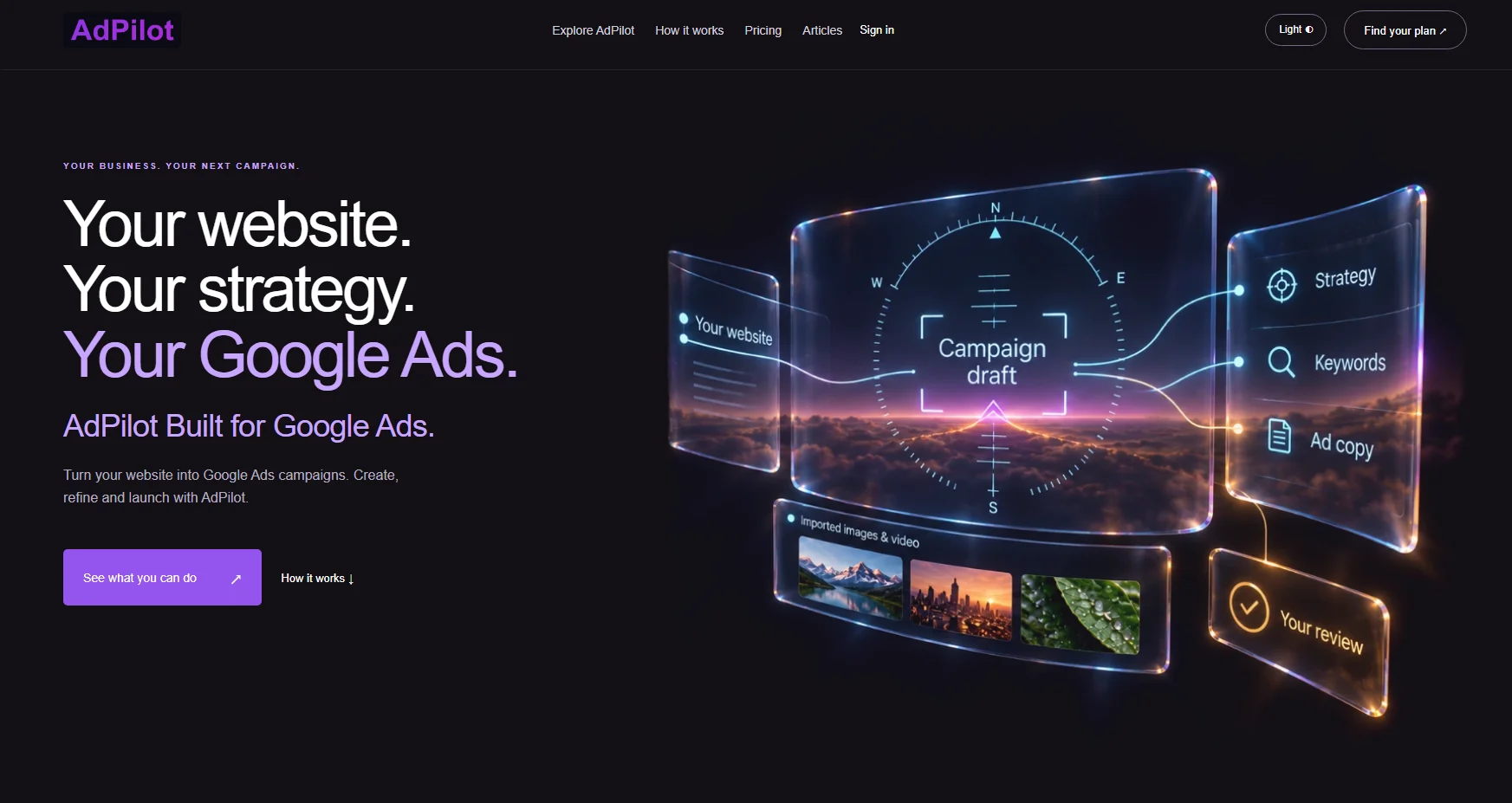
    The home page of adpilotapp.com
    The AdPilot home page.
  2. Choose a plan and make an account

    Click Pricing and choose a plan.

    Type your name, your email address and a password. Press Create account. Then follow the steps to pay.

  3. Add your website

    Click Websites, then Add website.

    Type the address of your website and press Add website.
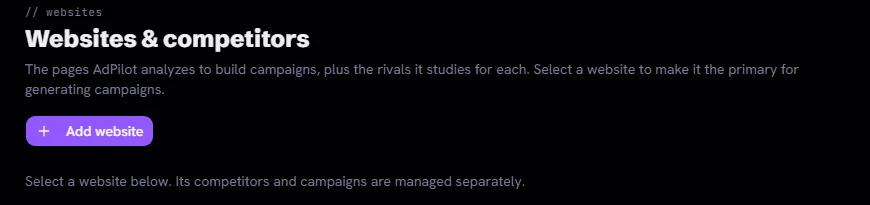
    The top of the Websites and competitors page of AdPilot, with the Add website button
    The Websites page.
  4. Add your competitors

    On your website's card, click add competitor. You can add up to four.

    Press Save & analyze. Wait until the card says Ready. If you skip the competitors, AdPilot suggests some.

    Part of a website card in AdPilot, showing three competitors studied and an add button
    Competitors on a website card.
  5. Choose your campaigns

    Press Generate on the card. Press the plus sign next to each kind of campaign you want.

    Pick a goal for each. Then press the big Generate button at the bottom.
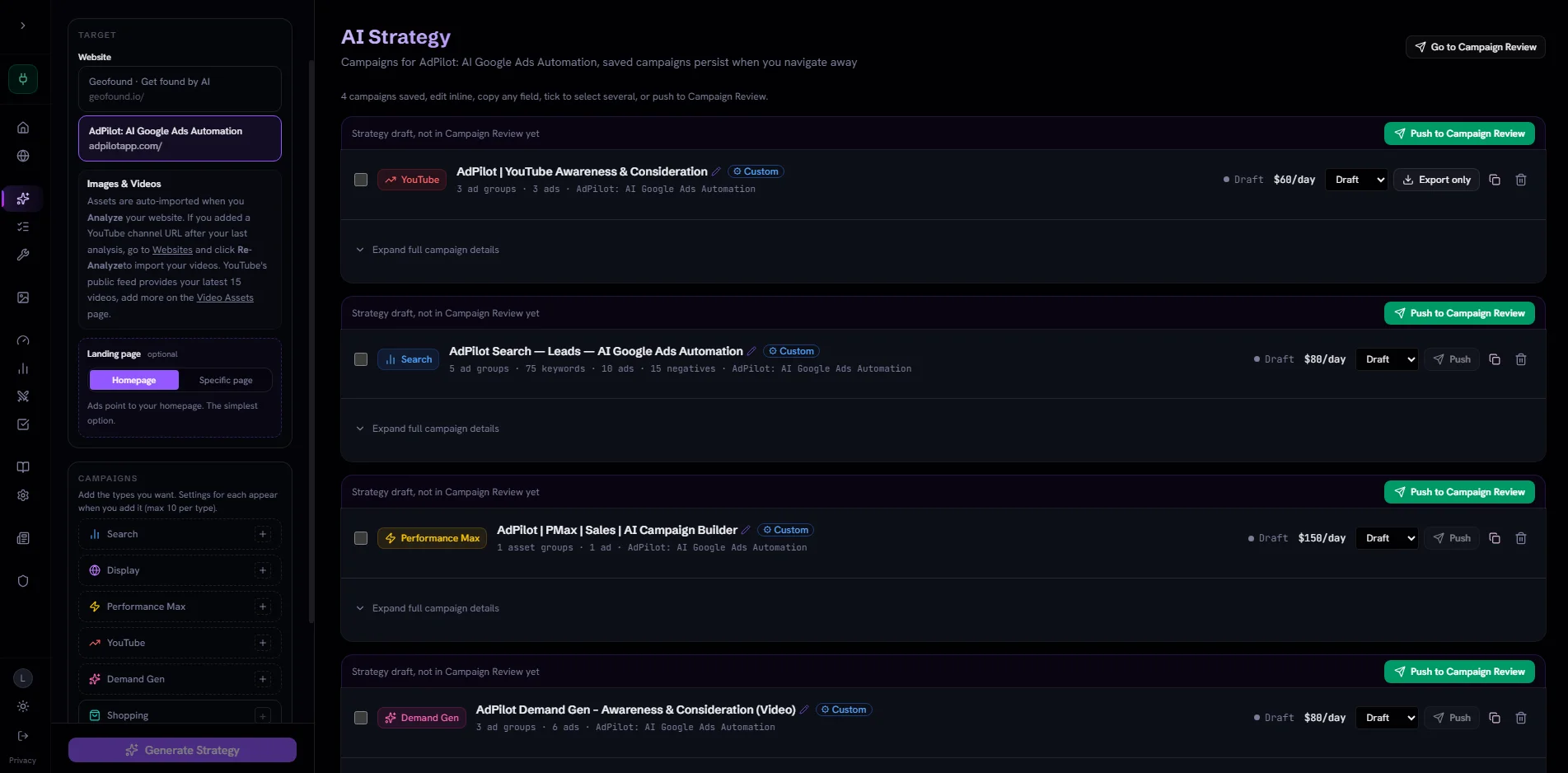
    The AI Strategy page of AdPilot with four campaign drafts and the list of campaign kinds on the left
    The AI Strategy page with four drafts.
  6. Send the drafts to review

    On each draft you like, press Push to Campaign Review.
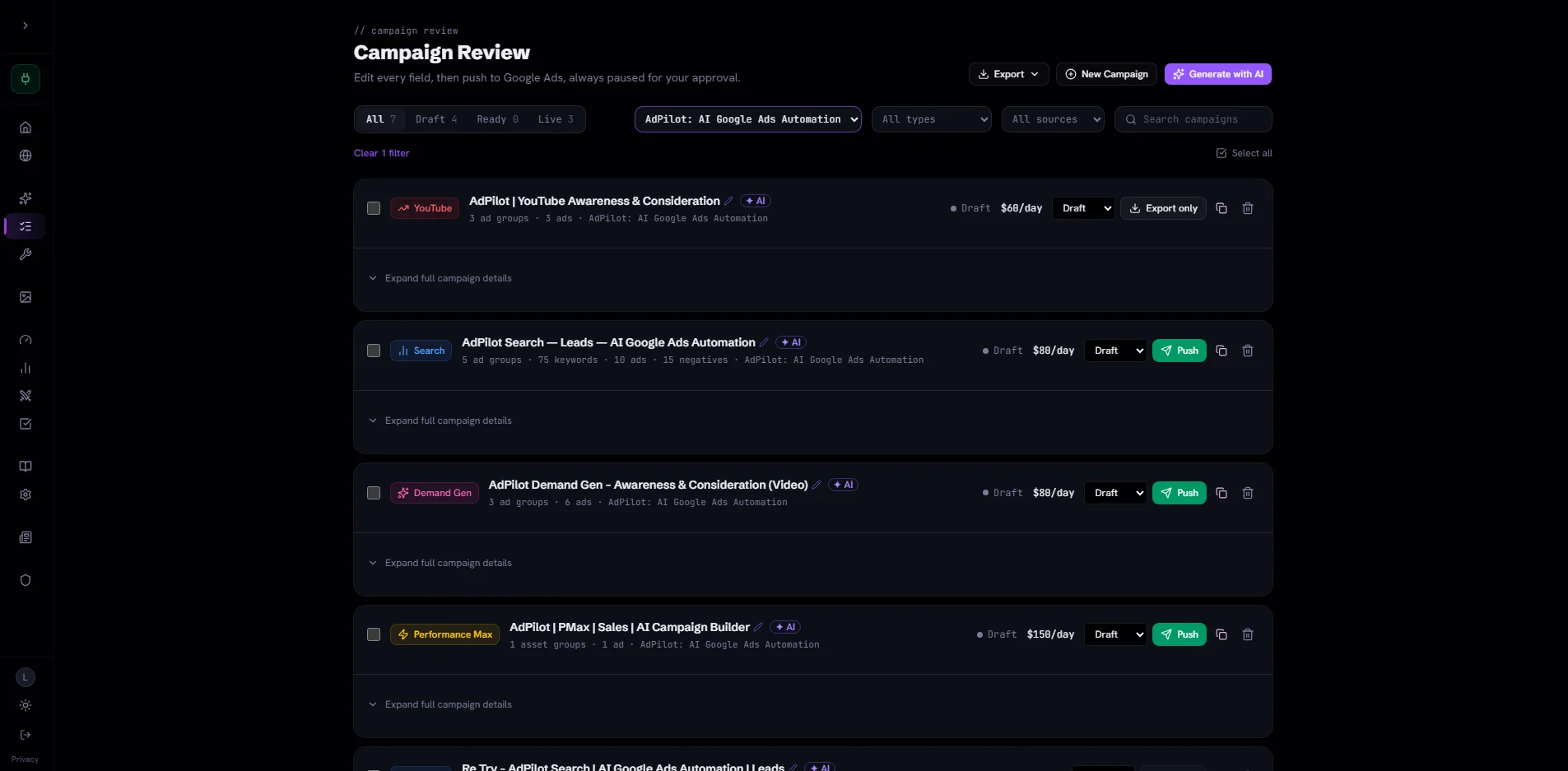
    The Campaign Review page of AdPilot with four campaigns, each with a Push button
    The Campaign Review page.
  7. Read and change

    Open Campaign Review. Click Expand full campaign details.

    Read every line. Change what you do not like. Choose the pictures for the campaign.
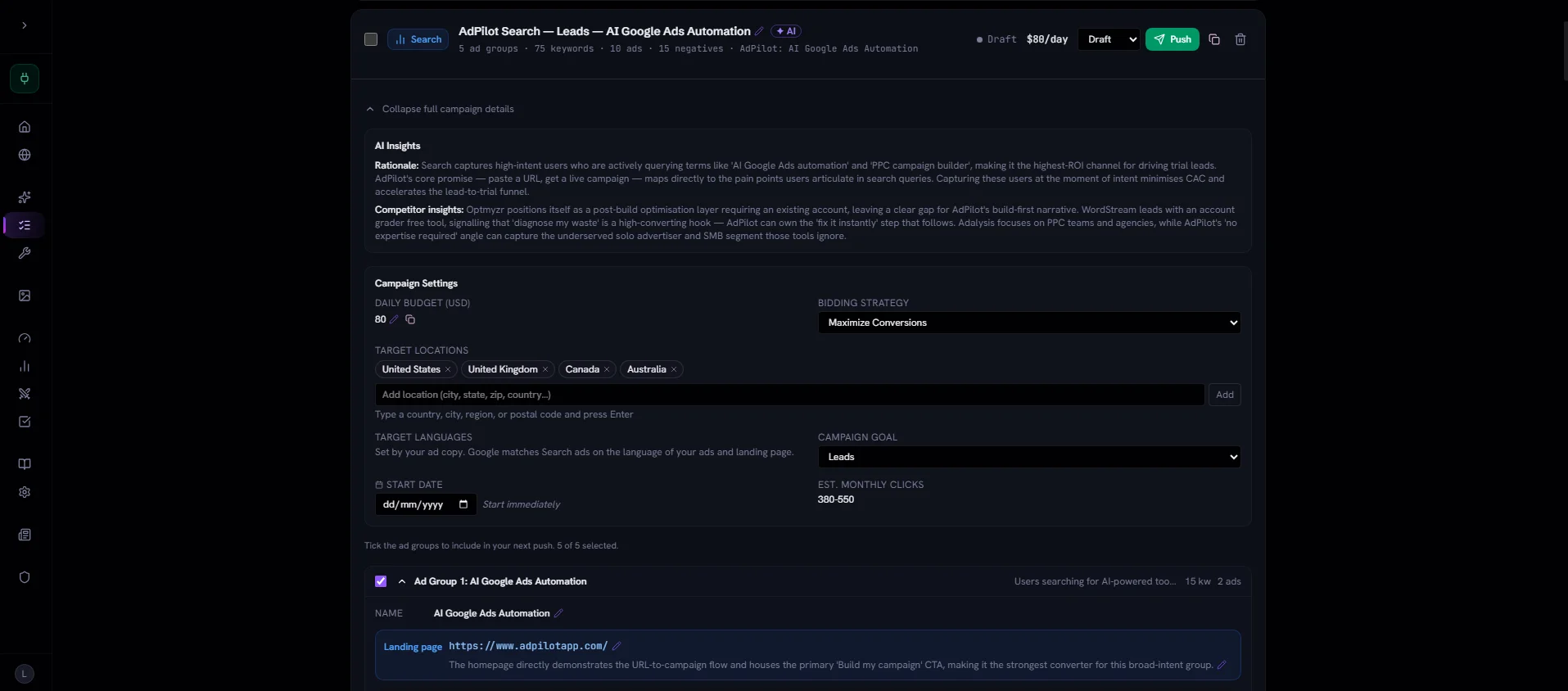
    A campaign opened in Campaign Review, showing the AI insights, the daily budget, the places and the goal
    A campaign opened for review.
  8. Take it to Google Ads

    Press Export to save the campaign as a file. Then load that file into Google Ads yourself.

    On a Connected plan you can send it straight in. Connect Google Ads in Settings, link it on your website's card with your Customer ID, then press Push.

  9. Switch it on in Google Ads

    Open Google Ads. Your campaign is there, paused.

    Check it one more time. Then switch it on. Nothing is spent before you do this.

  10. Later, see what to improve

    On a Connected plan, open Optimize after your campaign has run for a while.

    Tick the fixes you agree with. AdPilot writes a better campaign from them.
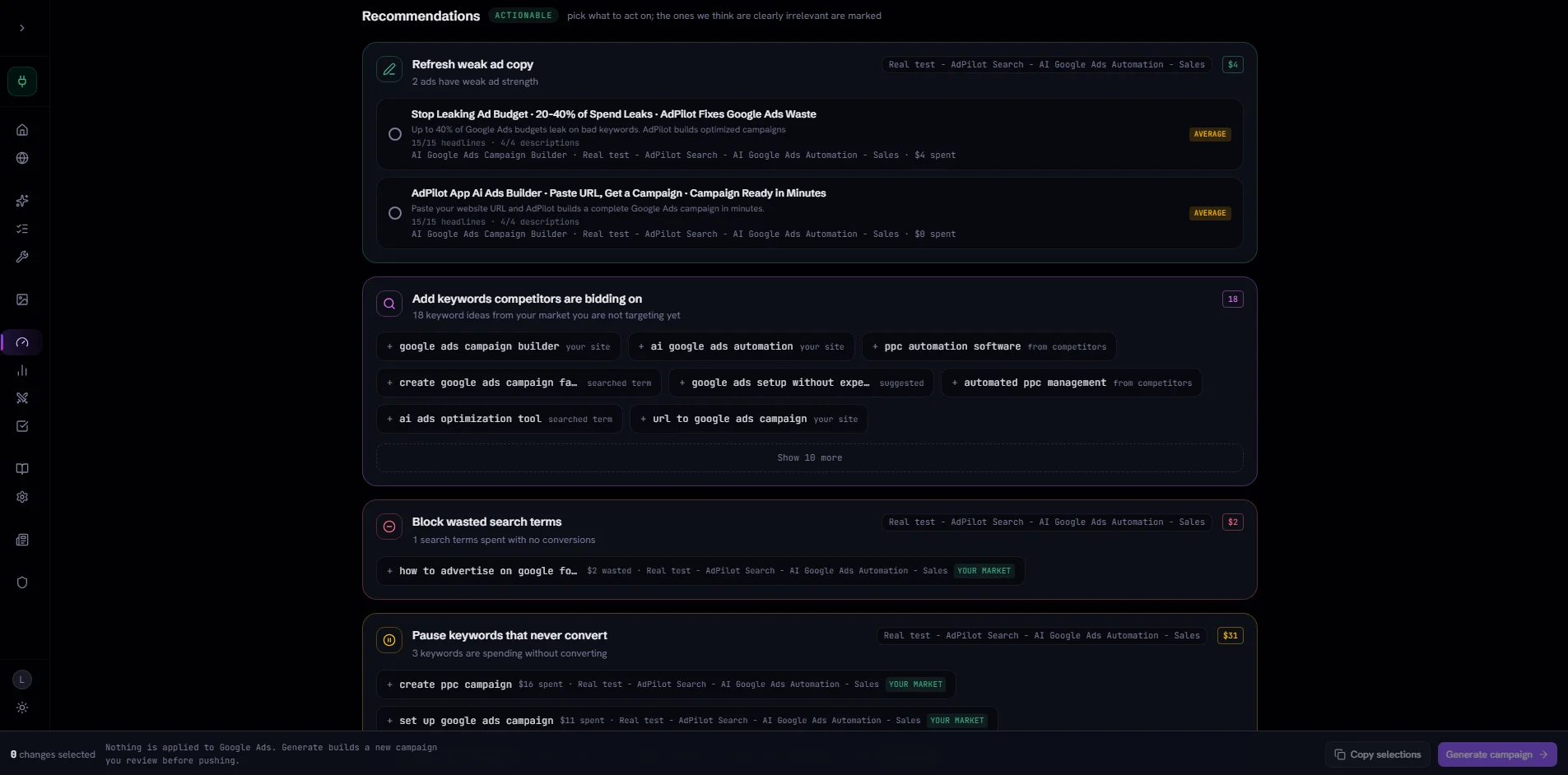
    The Optimize page of AdPilot with cards such as Refresh weak ad copy, Add keywords competitors are bidding on and Block wasted search terms
    Optimize suggestions.

What you need and what it costs

What you need

  • A website that anyone can open.
  • An AdPilot account with a paid plan.
  • To send campaigns straight in: a Connected plan and your own Google Ads account.
  • For adverts with pictures: one wide picture and one square picture.
  • For video adverts: videos on YouTube.
  • For Shopping campaigns: a Connected plan, and a Google Merchant Center account linked to your Google Ads.

What it costs

  • Standalone, $29 a month. 2 websites and 150 campaigns a month. You save campaigns as files.
  • Connected 4, $69 a month. 4 websites and 350 campaigns a month. Adds Push, Optimize and Performance.
  • Connected 8, $129 a month. 8 websites and 700 campaigns a month.
  • The sample campaign is free.
  • AdPilot's own pricing page always has today's prices.

Words used on this page

Google Ads
Google's advert service. Your adverts show when people search on Google.
Campaign
One set of adverts with its own goal and its own daily budget.
Keyword
A word or phrase people type into Google. Your advert shows when it matches.
Negative keyword
A search your advert should not show for. It saves you from paying for the wrong clicks.
Competitor
A business that sells the same kind of thing as you.
Push
Sending a campaign from AdPilot into your Google Ads account.
Paused
Switched off. A paused campaign shows no adverts and spends nothing.
Customer ID
The ten-digit number of your Google Ads account. You find it at the top of Google Ads.
Performance Max
A kind of campaign that Google shows in many places at once, such as Search, YouTube, Gmail and Maps.
Demand Gen
A kind of campaign with pictures or videos, shown on YouTube, Discover and Gmail.
Conversion
When someone does what you hoped for, such as buying or filling in a form.