Switching AI Models Mid-Project: What to Include in the Handoff

When switching AI models during a project, give the new assistant a short handoff: the current goal, approved decisions, working files, sources and next authorized action. Ask it to inspect the current material and explain its next step before continuing.
A conversation includes proposals that were rejected and instructions that were later corrected. The handoff needs to identify the decisions still in force. Otherwise, the next assistant has to reconstruct them from the whole exchange.
The template below is for research and writing projects. Add task-specific checks when adapting it to other work.
Explain the current outcome
Start with what you want to finish. “Continue the project” is too broad if the previous conversation included research, drafting and a possible redesign.
Write the deliverable, audience and acceptance criteria in a few sentences. For an article, that might mean a complete draft for business owners, supported by primary sources, with a worked example and a reusable worksheet. State whether the next assistant should research, edit or prepare the material for review.
Include the present status. “The outline is approved; the introduction is drafted; the comparison table still needs source checks” is enough to prevent a premature claim that the article is finished.
Put the current decision above the history of how you reached it. Keep that history only where it explains a constraint or prevents a repeated mistake.
Separate decisions from proposals
Use distinct labels for approved choices, suggestions and unresolved questions. An assistant may encounter an early proposal and continue as though it were accepted if the later correction is hard to locate.
For each material decision, record its reason or evidence. “Use a fictional example” is clearer when followed by “No customer case study has been supplied.” The second sentence prevents the next draft from filling the gap with an invented customer story.
Record rejected approaches when the reason still affects the work. If an article topic duplicates an existing guide, include the existing URL and the overlap. Do not preserve every discarded headline unless it helps the next editor.
A compact decision table works well:
| Status | Decision | Reason or evidence |
|---|---|---|
| Approved | Use one fictional service-business example | No authorized customer case study |
| Approved | Preserve the existing guide's URL | This is an update to that guide |
| Open | Whether a screenshot is necessary | Current controls have not been inspected |
| Rejected | Add a general AI news section | Outside the agreed practical article scope |
This table is illustrative. Replace its entries with your own project's decisions.
| Status | What belongs here | What the next assistant does |
|---|---|---|
| Accepted | A decision already approved | Preserve it unless asked to change it |
| Proposed | An option not yet approved | Present it as a proposal |
| Unresolved | A question or failed check | Verify before building on it |
A proposal is not permission, and an unchecked claim is not a verified fact.
Point to the exact working material
Name the working draft, its path and version. Label reference copies so the assistant does not edit an obsolete file.
Mention uncommitted or unfinished work where relevant. Ask the assistant to inspect the current file before changing it. A summary can become stale after someone makes a manual edit.
For sources, include the URL, what it supports and the date checked. Keep factual evidence separate from the model's earlier explanation of that evidence. If the pricing documentation establishes separate billing accounts, point to that documentation rather than treating the previous answer as the source.
Do not place passwords, API keys or private account tokens in the handoff. Link to an authorized connection or explain that access must be requested when needed.
Where a claim depends on a screenshot, recorded test or calculation, identify that evidence explicitly. “Verified” needs to refer to a check another person can inspect.
Preserve uncertainty and failed checks
Write unresolved questions as questions. A product description may have been checked on a public page while the installed feature remains untested. The handoff must preserve that distinction.
Record failures that change the next step. For example, “The browser connection failed before navigation; no interactive test occurred” prevents a new assistant from presenting an article as a tested tutorial.
If a source was inaccessible, record which source and which claim remains unsupported. The next assistant can then find another primary source or remove the claim. It does not need to invent a cause for the access problem.
Include the scope of any completed test. A successful file export establishes that an export occurred. It does not establish that every instruction, factual claim or formatting requirement passed review.
Keep the evidence and its limits together in the handoff.
Carry forward permission and budget limits
Say what the assistant may do next. Drafting locally, modifying a shared document, publishing a page and running a paid generation have different consequences.
For a writing project, a useful boundary is: “Research public sources and edit these local drafts. Publishing and paid provider calls require separate approval.” If earlier permission covered a specific action, record that action and its limits accurately.
Avoid vague language such as “everything is approved.” It can turn approval of a concept into presumed approval to spend money or change an account.
The handoff should also identify protected files or projects. If other people are editing a related application, the writing assistant needs to know that product research does not authorize changing its code.
Check comprehension with a concrete task
Ask the new assistant to identify the next action, the evidence it needs and any conflict in the handoff. That response is more useful than asking it to promise that it remembers everything.
Try this prompt:
Read the handoff and current working file. State the deliverable, three constraints that affect the next step, what is already verified and what remains unresolved. Identify the next authorized action. If the file conflicts with the summary, report the conflict before changing it.
Check the response. If it calls an untested feature verified or chooses an obsolete draft, correct the handoff before work continues.
The 2023 study Lost in the Middle found that relevant information's position affected performance in the long-context tasks and models it tested. It supports checking how context is used. It does not establish that every current model will overlook the same information, or provide a performance guarantee for any app.
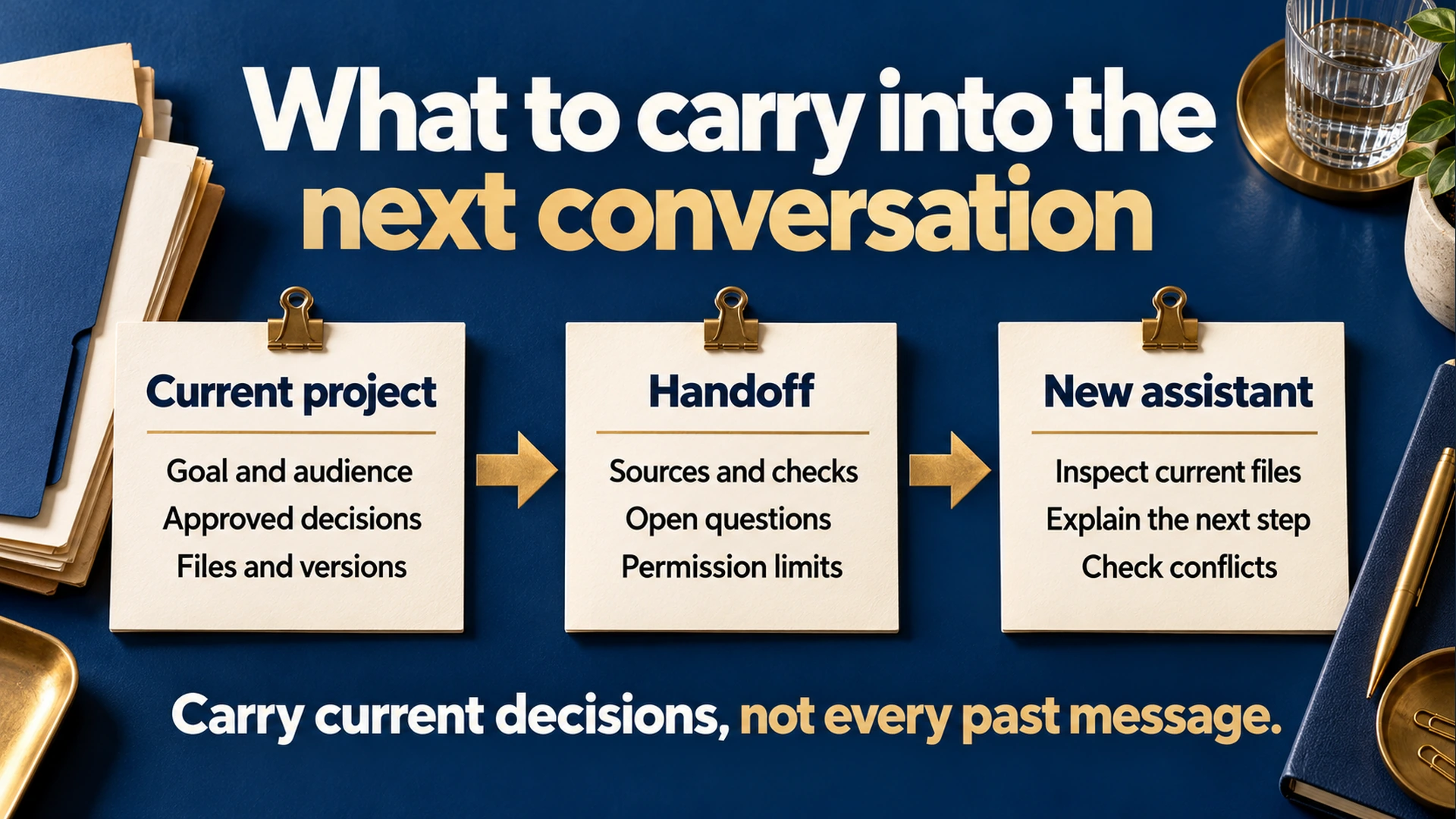
A useful handoff connects current files and decisions to the next authorized step.
A fictional handoff example
Suppose you are updating an appointment-software buying guide. Research is finished, but the comparison needs editing.
Goal
Deliver a sourced buying guide for a small clinic choosing appointment software.

Current state
Outline approved. Draft v3 is the working file.
The feature table contains two unresolved entries.

Decisions
Compare scheduling, reminders and access permissions.
Do not include a winner without evidence for the reader's requirements.
Use a fictional clinic example, labeled illustrative.

Files and sources
Working file: clinic-guide-v3.md
Evidence file: clinic-guide-sources.md
Source checks and dates are recorded beside each feature.

Unresolved
Provider B's reminder charges need current documentation.
No installed-product test has been performed.

Authority
Edit local drafts and read public documentation.
Do not start trials, contact vendors, publish or spend.

Next step
Verify the two unresolved table entries, then edit the comparison.
The assistant can inspect the actual files and check the unresolved claims. The handoff gives it a defined task rather than an invitation to restart the project.
How this fits AI Hub
The AI Hub product page describes switching platforms or models within a conversation while retaining its history. It also describes file inputs and project organization. A handoff gives that history a concise statement of the current work.
Do not assume every provider receives or processes files in the same way. Check the selected connection's capabilities before relying on an attachment. If the new assistant cannot read the working material, resolve that access gap before asking it to continue.
For a comparison of two answers, use the AI answer comparison guide, which covers consistent inputs and claim checks.
Reusable handoff template
Project and date:
Deliverable, audience and acceptance criteria:
Current status:

Approved decisions, with reasons:
Rejected approaches worth preserving:
Open questions:

Working file and version:
Reference files:
Sources, what they support and dates checked:
Completed checks and their limits:
Failures or blocked checks:

Allowed next actions:
Actions requiring approval:
Budget or provider limits:
Files and projects to leave untouched:

Next step:
Before continuing, inspect:
Before switching assistants, update the handoff to match the current files, decisions and permissions.
Related guides
Citations (1) showhide
- Research paper. Lost in the Middle